
WebVuln-Runner
Start many deliberately vulnerable web apps, APIs and benchmark targets in Docker — from a terminal menu or one command.
Get Started View on GitHub
Start many deliberately vulnerable web apps, APIs and benchmark targets in Docker — from a terminal menu or one command.
Get Started View on GitHub
All labs are deliberately vulnerable. By default, WebVuln-Runner binds services strictly to 127.0.0.1 (loopback) on dedicated bridge networks with no-new-privileges and CPU/memory limits.
Never run labs on production servers or machines with sensitive files. Exposing labs via --bind 0.0.0.0 is a warned opt-in meant only for isolated lab environments. Read the full Security Policy.
Why use WebVuln-Runner?
Labs listen on 127.0.0.1 only. Exposing a lab to your network is an explicit, warned opt-in.
Everything it creates is labelled; other containers on your host are never listed, stopped or removed.
Waits until the app actually answers. Several labs run side by side, each on its own port.
A terminal menu to add, start, stop, inspect and remove labs. Multi-container labs like crAPI start as one unit.
Generated from src/catalog.json — the same catalog the tool uses.
Vulnerability topics (pick one or more):
Debian / Ubuntu / Kali, Fedora / RHEL / Rocky / AlmaLinux and Arch Linux.
The installer installs Docker and the other dependencies. It then downloads a tagged release,
verifies its SHA-256 checksum and installs the webvuln-runner command.
curl -fsSLO https://raw.githubusercontent.com/yusufarbc/webvuln-runner/v2.3.1/installers/install.sh
less install.sh        # read it first
sudo bash install.sh
Verify signed build provenance attestation (GitHub CLI):
gh attestation verify webvuln-runner-2.3.1.tar.gz --repo yusufarbc/webvuln-runnersudo webvuln-runner, or add your user to the docker group knowing what
that grants.
Run webvuln-runner and manage everything from the menu: add a lab by topic or level,
start, stop, check status, read logs and remove it.
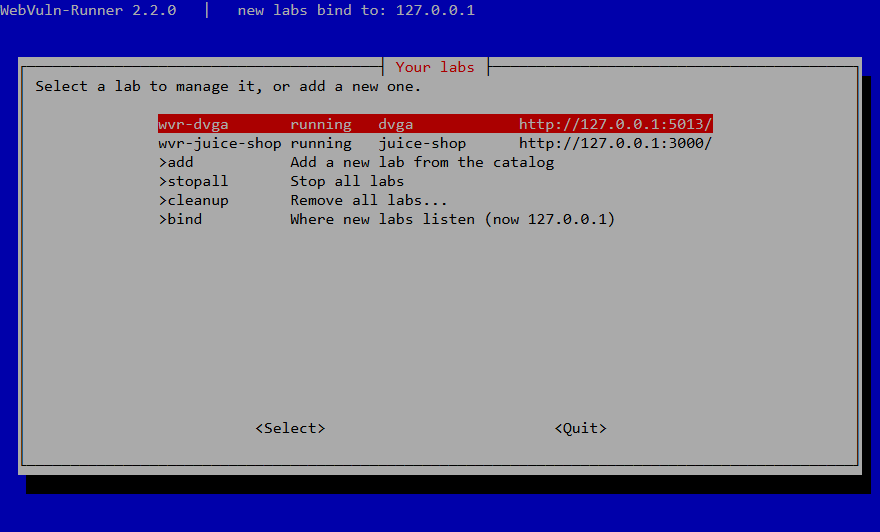
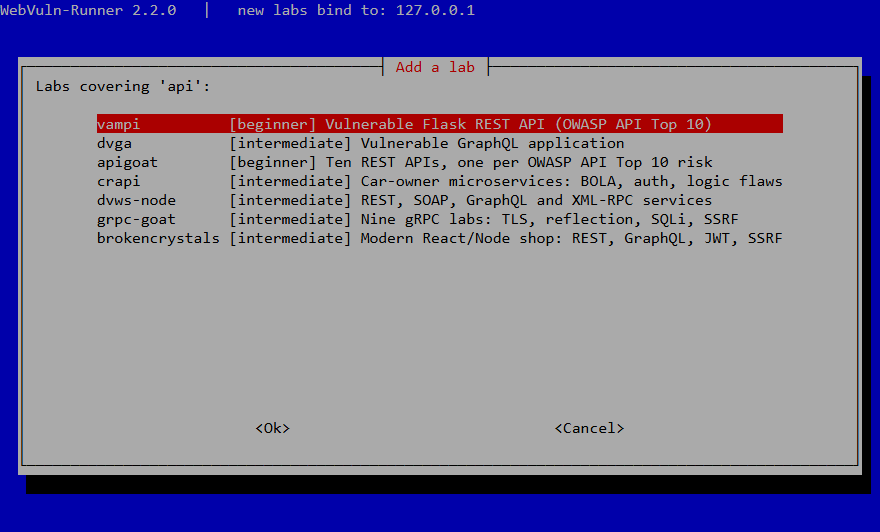
The same actions are also available as commands, e.g.:
webvuln-runner up crapi
webvuln-runner list
webvuln-runner rm wvr-crapi --volumes
This page is a read-only catalog. A web page cannot safely control your Docker daemon, so labs are managed from the terminal.
Common scenarios and how to resolve them
WebVuln-Runner automatically scans for free ports and assigns the next available one. If an explicitly requested port via --port is occupied, choose another port or let the runner auto-select:
webvuln-runner up <lab> # auto-selects next free port
Multi-container labs (such as crAPI, NodeGoat, BrokenCrystals) require the Compose v2 plugin. Install it using your distribution package manager:
sudo apt-get install docker-compose-plugin
WebVuln-Runner requires Docker daemon access. Either run with sudo or add your current user to the docker group:
sudo usermod -aG docker $USER && newgrp docker
Heavy stacks (e.g. Java, Keycloak) may take longer to boot on machines with limited resources. Inspect logs or raise the timeout:
WVR_HEALTH_TIMEOUT=180 webvuln-runner up webgoat